Troubleshooting
US Passport Photo Rejection Letter: What to Send Back
Got a letter saying your passport photo can't be accepted? The 90-day deadline, where to mail the new photo, and how to make sure the second one passes.
Making the photo now? US passport photo: exact size and free check

By Antoine Duno
Published 8 min read
A letter from U.S. Passport Services saying your photo can't be accepted feels like a rejection of the whole application. It isn't. The application is on hold, not refused, and it restarts when a photo that meets the requirements arrives. What matters now is the date on the letter, the address on the letter, and making sure the second photo doesn't fail for the same reason as the first.
This page describes what the State Department publishes about these letters, read on September 16, 2026. It isn't legal advice, and the letter in your hand overrides anything here: if it asks for something different, do what it says, and call the number printed on it if anything is unclear.
Why photo letters are so common
The State Department's passport photos page opens with this: "Unacceptable photos are the number one reason why we put passport applications on hold." Its Respond to a Letter or Email page lists "We cannot accept your photo" as one of the standard reasons it contacts applicants, with a one-line instruction: review the photo requirements and "make sure your new photo meets these requirements before sending it to us."
Photo letters reach people on every route:
- Online renewal. The upload tool checks "the basic requirements" when you add the photo. Then, in the Department's words: "An employee will review your photo after we receive your application. If there's an issue, we will send you a letter or email asking you to send us a new photo." Our guide to renewal photos that get rejected covers what the upload tool refuses.
- Renewal by mail (DS-82). Nobody checks the print before you seal the envelope. The intake facility that opens it can send a letter for a "missing or bad photo".
- In person (DS-11). Handing the print over at an acceptance facility doesn't take it out of scope: the photo reason sits in the same list of reasons the Department contacts applicants.
Read the letter in this order
The State Department's sample letter has seven labelled parts. Four of them matter right now.
| Part of the letter | What it tells you | What to do |
|---|---|---|
| Return address | The Sterling, VA address for your response | Copy it exactly onto the envelope |
| Due date | 90 days from the date shown on the letter | Put it in your calendar with a week's margin |
| Information requested | What was wrong and what to send | Read it twice; this is the actual instruction |
| Illustration | Sometimes a visual example, "such as the size for your passport photo" | Compare your old photo with it to see the failure |
The other three are your application number (quote it if you call), a QR code that links to instructions on travel.state.gov, and contact information.
The 90-day clock, and what it actually says
The wording on the Department's pages is short: "You must respond to the letter or email within 90 days so we continue processing your application," and "Your application may be delayed until you respond." The 90 days run from the date shown on the letter, not from the day it reached your mailbox.
Two things follow from that.
First, the processing time you were quoted stops meaning much while the application is on hold. If you have travel booked, respond now, not near day 89. Mail and courier time counts against you.
Second, the pages we read don't spell out what happens to an application if nobody responds within 90 days. Don't find out. If you can't meet the deadline, call the number on the letter and ask, with your application number in front of you.
What your status will say
Your online status tracks the letter:
- Additional Information Needed appears on the date the letter or email is sent. The status page says: "Your application is on hold, and your processing times may be delayed."
- Information Received, In Process Again appears once your response arrives and the application goes back into review.
If you mailed the photo a while ago and the status still says Additional Information Needed, use the tracking number from USPS, FedEx or UPS before you send a second one.
Why the first photo failed: match it to the rule
If the letter and its illustration don't make the failure obvious, compare your photo with the unacceptable examples on the State Department's photo page. These are the failures it illustrates:
| What you see in your photo | The rule it broke |
|---|---|
| A dark outline on the wall behind you, or one side of the face darker | "free of shadows"; lighting must be uniform |
| Head noticeably small, or cut off at the top | Head 1 to 1 3/8 inches (25 to 35 mm), chin to top of head |
| Face grey, orange or washed out | Must reproduce skin tones accurately |
| Blurry, grainy, visible printer dots | High resolution, printed on matte or glossy photo paper |
| Glasses on, or pushed up on your head | Glasses off unless a signed doctor's note is included |
| Head tilted, turned, or looking down | Face the camera directly, head not tilted |
| Smoothed skin, a filter, a swapped or cut-out background | "Do not change your photo using computer software, phone apps or filters, or artificial intelligence" |
| A photo that looks like a scan or photocopy | "Do not submit photocopies or digitally scanned photos" |
| Hat, scarf or head covering with no statement | A signed religious or medical statement is required |
Shadows are the failure people most often can't see on their own phone screen. Our guide to shadows in passport photos shows how to spot them and move your light. For the full list of causes across countries, see why passport photos get rejected.
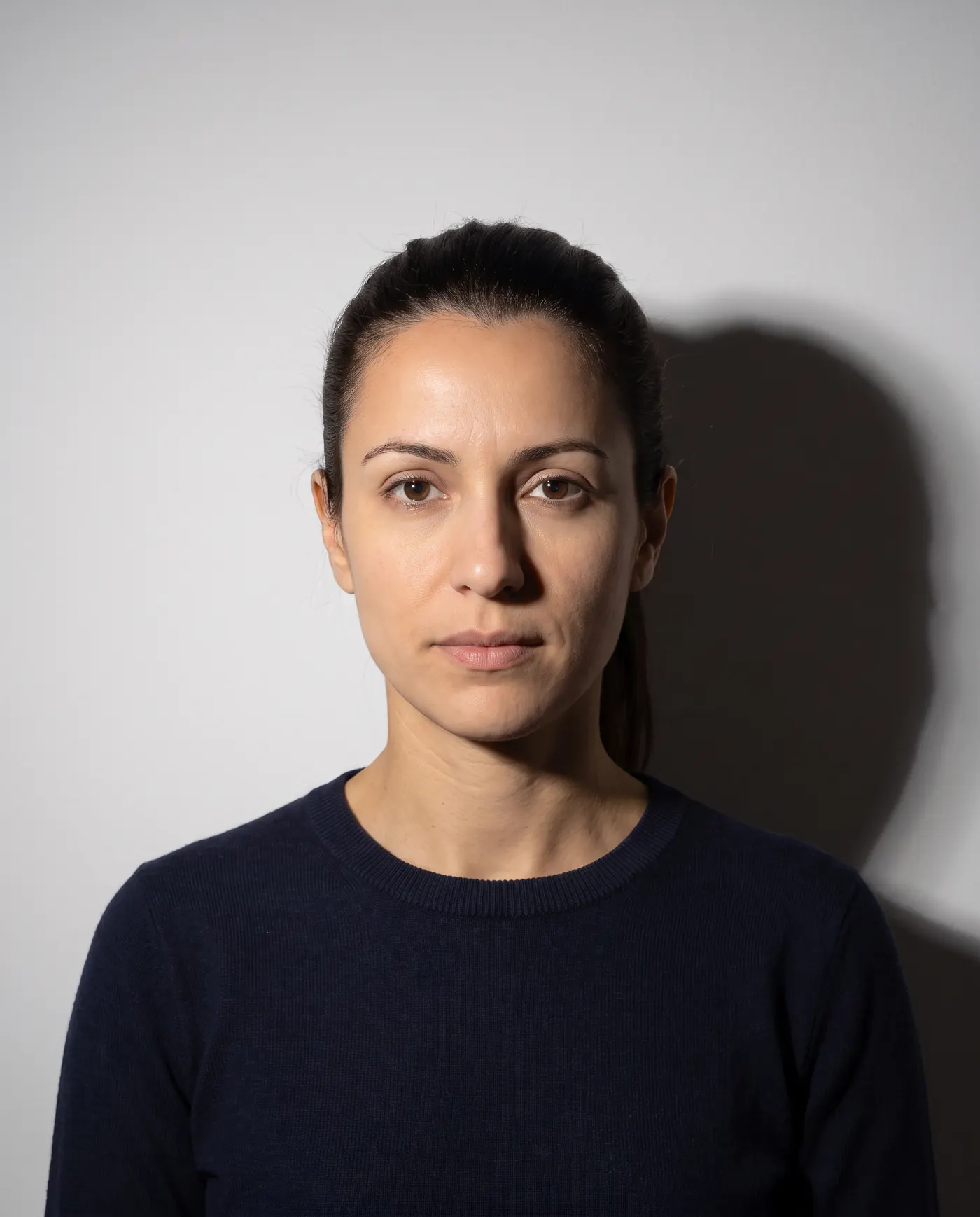 Rejected
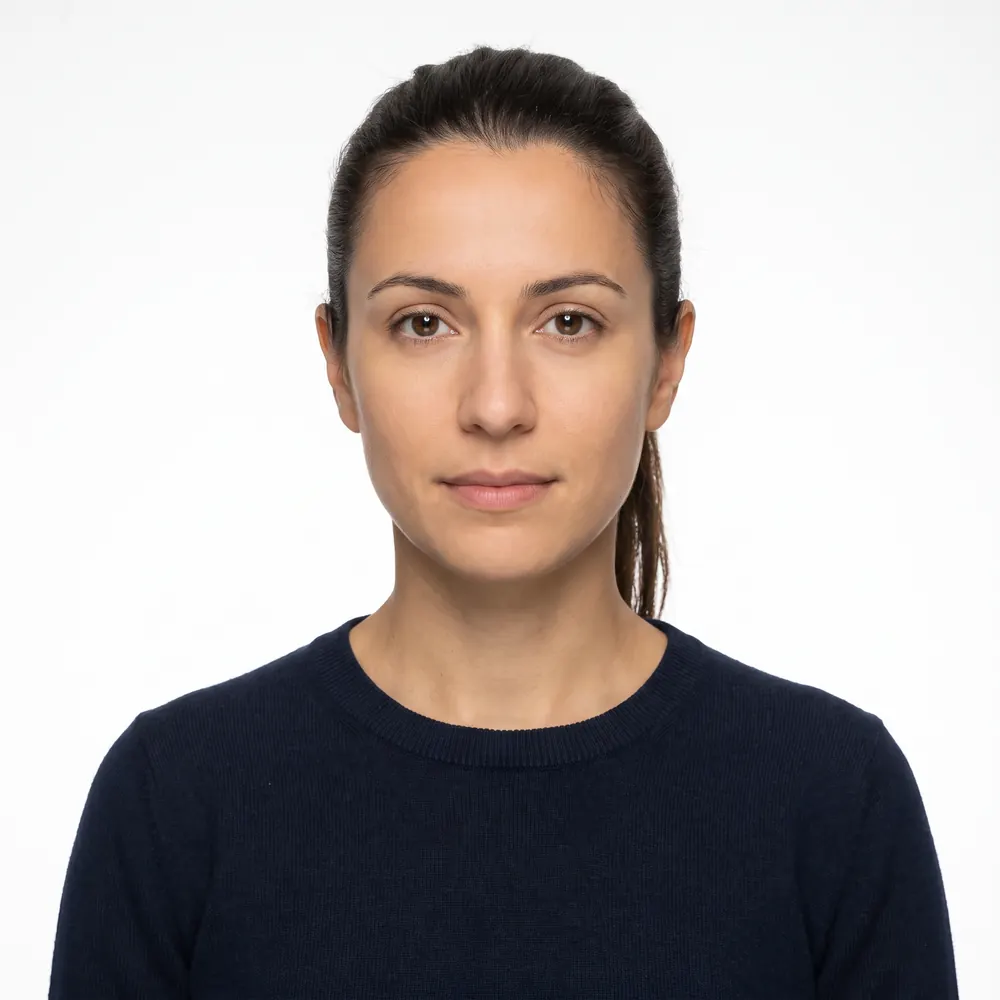 Accepted
One warning about fixing it in software: the State Department's own examples include a photo whose background was "cropped using a photo retouching tool", and one "created using an artificial intelligence tool" from an earlier photo, both marked unacceptable. It adds: "We check all photos to ensure you are not using artificial intelligence tools." A retake is the fix. Editing the old photo is a second reason to reject it.
Send the replacement
- 1
Retake the photo, don't copy the old one
Plain white or off-white wall several feet behind you, even light from the front, glasses and hat off, face level and square to the camera. It must be taken in the last 6 months; a new photo is well inside that.
- 2
Check it against the rule the first one broke
Use the table above. Look at the full-size image, not a thumbnail: shadows along the jaw and behind the ears are easy to miss.
- 3
Print at 2 x 2 inches on photo paper
Matte or glossy photo-quality paper, head 1 to 1 3/8 inches from chin to top of head. No home photocopy, no scan, no creases or holes.
- 4
Add any statement the photo needs
A signed doctor's note if you can't remove glasses for medical reasons. A signed statement that a head covering is religious attire worn daily in public, or a doctor's statement if it is medical.
- 5
Follow the letter's instructions for what else goes in
Some letters ask for more than a photo. A mailed DS-82 returned by the intake facility asks you to send the application again, and says you must include the letter.
- 6
Mail it to the Sterling, VA address with tracking
USPS, FedEx or UPS, to the address exactly as printed on the letter. Keep the receipt and the tracking number until your status changes.
If you are unsure how the print should be fixed to a form, our guide to attaching a passport photo to an application covers staples and placement.
Where our tool fits, and where it doesn't
A photo letter is a good moment to be precise about what software can do. Our photo checker measures head size and eye line against the US passport template, checks that your head is level, that the background is plain and even, and that the photo is sharp and correctly exposed. It crops and resizes to 2 x 2 inches and lays out a print sheet you take to a photo counter. It doesn't retouch faces, and it can't reliably detect glasses, so it marks that check as unverified instead of passing it. Take them off yourself.
The final decision is the State Department's. Our refund terms: full refund within 14 days, for any reason, and if the office rejects the photo later for something we measure (size, head height, background, file format), we still refund it (refund terms).
Before you seal the envelope
- Response going to the Sterling, VA address printed on the letter
- Mailed well before the 90-day date, with tracking
- New photo taken in the last 6 months, 2 x 2 inches, head 1 to 1 3/8 inches
- Plain white or off-white background, no shadow on the wall or face
- Signed statement included for any religious or medical head covering or glasses
- Everything else the letter asked for, including the letter if it says so
- A copy, scan or reprint of the photo that was refused
- A photo with the background replaced or skin smoothed by an app
- Envelope sent to a passport agency's street address
The rest of the rules, with the measurements, are in our US passport photo requirements guide.
Frequently asked questions
How long do I have to respond to a passport photo letter?
90 days. The State Department says you must respond within 90 days of the date shown on your letter or email, and the date is printed just below the address you send your response to. Until you respond, your application is on hold and may be delayed.
Where do I send my new passport photo?
To the full address in Sterling, Virginia exactly as it appears on your letter. The State Department says not to send it to a passport agency's physical address. You can use USPS, FedEx or UPS. If the letter or email says you may respond by email, it will tell you so.
Do I have to start a new passport application?
Not for a photo letter. The letter asks for the information needed to continue processing the application you already submitted. The exception is a mailed DS-82 renewal returned by the intake facility for something missing: that letter asks you to send the application again, and to include the letter.
Why was my passport photo rejected if the online check passed it?
Because a person reviews it again. For online renewal the upload tool only checks basic requirements, and a State Department employee reviews the photo after the application arrives. Shadows, color, head size, edits or glasses can all fail that review after passing the automatic one.
Can I just send the same photo again?
No. The letter means that photo did not meet the requirements, so a copy of it will fail the same way. The State Department's instruction is to review its photo requirements and make sure the new photo meets them before sending it. That usually means a retake.
What does Additional Information Needed mean on my passport status?
It means the State Department sent you a letter or email asking for more information, and your application is on hold. The status appears on the date the letter or email is sent. Once your response arrives, the status changes to Information Received, In Process Again.
Sources
- U.S. Department of State - Respond to a Letter or Email (last updated July 31, 2026; read on the adoption.state.gov mirror)
- U.S. Department of State - Check Your Application Status (status updates when more information is needed)
- U.S. Department of State - Passport Photos (last updated March 24, 2026; read on the adoption.state.gov mirror)
- U.S. Department of State - Uploading a Digital Photo (online renewal)
The US passport specification, with the official source of each value: US passport photo: exact size and free check
Keep reading
 Requirements
 US Passport Photo Requirements (2026): Complete Checklist
Every US passport photo rule in one checklist: 2x2 inch size, head height, white background, expression, glasses, head coverings and online renewal.
Read the guide Troubleshooting
 Passport Renewal Photo Rejected? What to Do Next
Why online passport renewal bounces a photo, what each rejection means and how to replace it, with the file rules and the fix for every failure.
Read the guide Requirements
 Why Passport Photos Get Rejected: 10 Real Causes
The ten reasons passport and visa photos really get rejected, the official rule behind each and the fix, plus specs for print, renewal and the DS-160.
Read the guide Requirements
 DS-82 Photo: Renewing a US Passport by Mail in 2026
DS-82 photo rules: one 2x2 inch color print, head 1 to 1 3/8 in, photo paper, four staples, and what puts mailed passport renewals on hold.
Read the guide Requirements
 Online Passport Renewal Photo: US Upload Rules 2026
The photo file US online passport renewal accepts: JPG, PNG or HEIC, 54 KB to 10 MB, how to frame it, and what the two photo checks look at. Sourced.
Read the guide Troubleshooting
 UK Passport Photo Rejected Online? 8 Fixes That Work
What the UK online photo check measures, what examiners reject afterwards, and 8 fixes from HM Passport Office's own guidance, including when to override.
Read the guide