Requirements
DS-82 Photo: Renewing a US Passport by Mail in 2026
DS-82 photo rules: one 2x2 inch color print, head 1 to 1 3/8 in, photo paper, four staples, and what puts mailed passport renewals on hold.

By Antoine Duno
Updated October 6, 20268 min read
Specs verified on September 16, 2026 against the issuing authority
Renewing a US passport by mail on Form DS-82 still means a printed photo: one 2 x 2 inch color print, stapled to the form, sent in an envelope with your old passport. There is no upload step and no automated check before you post it. The first time anyone checks the photo is after the envelope arrives, and the State Department says unacceptable photos are "the number one reason why we put passport applications on hold."
The rules come from the State Department's Renew by Mail page (last updated July 21, 2026), its Passport Photos page (last updated March 24, 2026) and the DS-82 form instructions, all read on September 16, 2026. travel.state.gov turns away automated readers, so we read the identical pages on the Department's adoption.state.gov mirror.
- Number of photos
- 1, in color
- Printed size
- 2 x 2 in (51 x 51 mm)
- Head size
- 1 to 1 3/8 in (25 to 35 mm), chin to top of head
- Maximum age
- Taken in the last 6 months
- Background
- Plain white or off-white, no shadows
- Expression
- Neutral or smile with mouth closed, eyes open
- Glasses
- Removed; medical exception needs a doctor's statement
- Paper
- Matte or glossy photo-quality paper
- Scans and photocopies
- Not accepted
- Attachment
- 4 staples, vertical, in the corners
First, make sure DS-82 is your form
The photo only matters if you are allowed to renew by mail. The Renew by Mail page says you can if:
- you can submit your most recent passport with the application
- it has never been reported lost or stolen, and is not damaged beyond normal wear and tear
- it was issued within the last 15 years
- it was issued when you were age 16 or older and was valid for 10 years
- it was issued in your current name, or you can document the name change with a marriage certificate, divorce decree or court order
If you don't meet those, you apply in person on Form DS-11, which uses the same photo rules. If you do meet them, check whether online renewal suits you better: it has its own eligibility test and takes a digital file instead of a print. Our US online passport renewal photo guide covers that route.
One more fork. If your passport is less than a year old and you need a name change, or it has a data or printing error, the State Department sends you to Form DS-5504 instead, which also takes one passport photo. See our DS-5504 photo guide.
The print itself
Size. The Passport Photos page gives the printed size as 2 x 2 inches (51 x 51 mm) and the head as 1 to 1 3/8 inches (25 to 35 mm) from the bottom of the chin to the top of the head. Your hair may extend past the edges of the photo, as long as your entire head is shown at the right size. The DS-82 itself carries a photo template on Application Page 1; the instructions tell you to follow it.
Paper and quality. Print on matte or glossy photo-quality paper. The photo must be high-resolution, not blurry, grainy or pixelated, with no visible printer dots, no red eye and no holes, creases or smudges. The Department's fix for a grainy print is higher-quality ink, paper or print settings.
Originals only. "Do not submit photocopies or digitally scanned photos." A scan of a pharmacy print, or a copy of an older photo, fails this rule even if it measures correctly.
Age. The DS-82 instructions say the photo must be taken less than six months ago, and the form's photo box repeats it: "Attach a color photograph of applicant taken within the last six months."
The paper printing options, from a pharmacy counter to a 4 x 6 sheet printed elsewhere, are compared in printing passport photos.
What the photo must show
These are the same rules as any US passport photo, and our US passport photo requirements guide covers each one in detail. The ones that matter most on a mailed renewal, where nobody looks at the photo before it's posted:
- Head and shoulders centered, head fully visible, facing the camera, not tilted
- Neutral expression or a smile with the mouth closed, both eyes open
- Plain white or off-white background with no shadows, texture, objects or lines
- Even lighting on the face, accurate skin tones, not over- or underexposed
- Clothing you normally wear every day
- Eyeglasses, sunglasses or tinted glasses, including glasses resting on your head
- A hat or head covering without a signed religious or medical statement
- A uniform, clothing that looks like a uniform, or camouflage
- Headphones or wireless hands-free devices in or on your ears
- Any change made with software, phone apps, filters or artificial intelligence
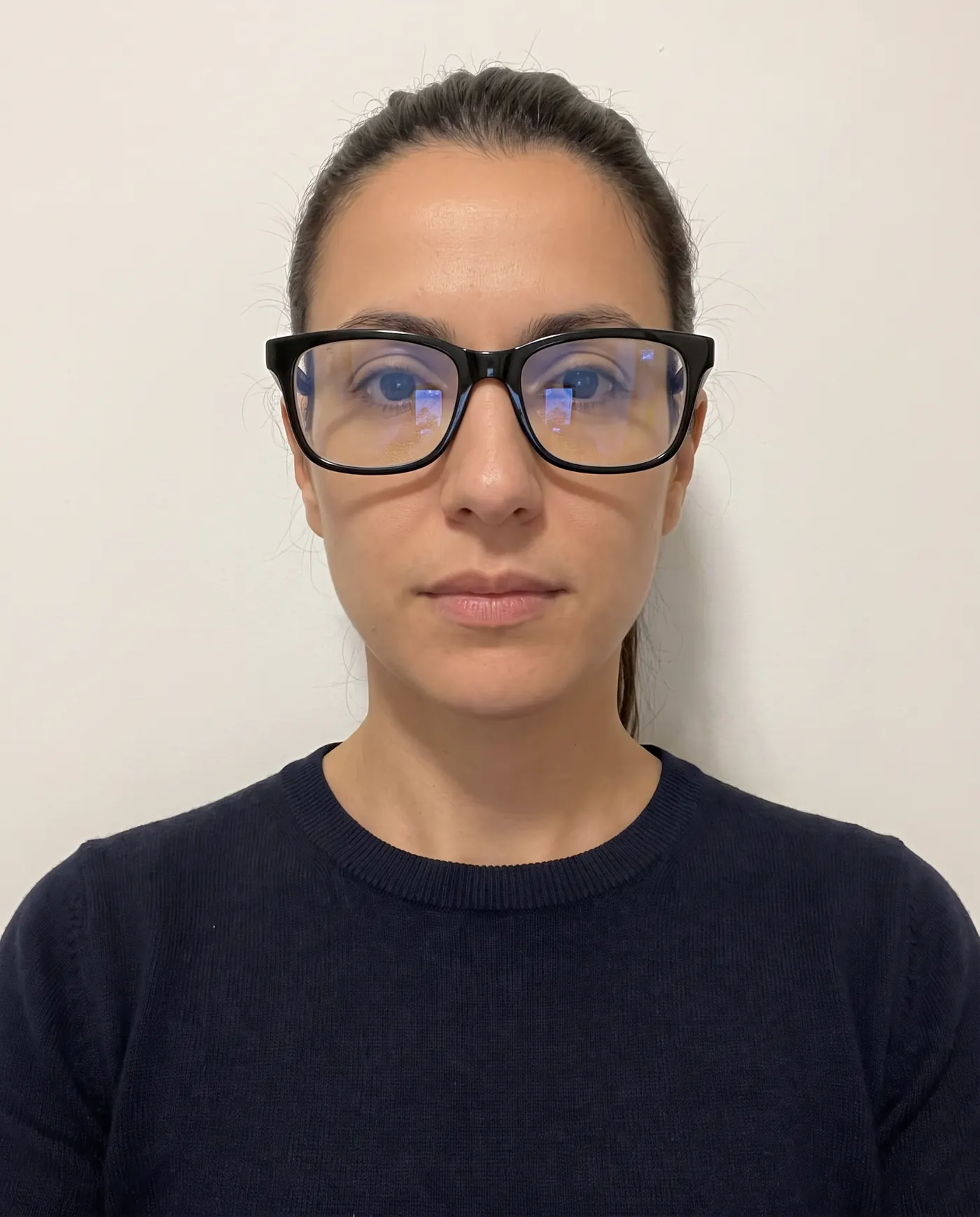 Rejected
 Accepted
Glasses and head coverings: the statements that go in the envelope
A mailed renewal is where the "signed statement" exceptions actually get used, because the statement travels with the form.
Glasses. The DS-82 instructions: "Glasses or other eyewear are not acceptable unless you submit a signed statement from a doctor explaining why you cannot remove them (e.g., during the recovery period from eye surgery)." If you can take them off, take them off.
Head coverings. Not acceptable unless you submit a signed statement that it is part of recognized, traditional religious attire customarily or required to be worn continuously in public, or a signed doctor's statement verifying its daily use for medical purposes. The Passport Photos page adds that the covering must leave your full face visible with no shadows, be one color, and have no patterns or small holes. It also notes that the signed statement applies "if you are applying in person or by mail," which is why the online renewal flow doesn't ask for one.
Wheelchair users. If part of a wheelchair's head support shows in the background, include a note explaining that the background is not completely white because you are in a wheelchair.
Attaching the photo: four staples, not glue
The Renew by Mail page: "You must staple your photo to the application. Follow the instructions on the application. Use four staples vertically in the corners as close to the outer edges of the photo as possible." And: "Do not bend the photo."
- 1
Print the form correctly
The State Department says to print the DS-82 on single-sided paper, as two separate pages. It does not accept double-sided forms. Sign and date Application Page 1.
- 2
Line the photo up with the box on page 1
The photo goes in the marked photo area of Application Page 1, which shows where the staples go.
- 3
Staple the four corners, vertically
One staple in each corner, running up and down, as close to the photo's outer edges as possible, so no staple crosses your face.
- 4
Keep it flat
Don't fold the form across the photo or bend the print to fit an envelope. Use an envelope large enough to mail the pages flat.
- 5
Assemble the rest
Your most recent passport, any name change document, and a personal check or money order payable to the U.S. Department of State. The Renew by Mail page lists $130 for a book, $30 for a card and $160 for both.
- 6
Mail it by USPS to the right address
The address depends on your state and on routine or expedited service. The page says postal employees should not charge the $35 facility fee or review your form before you mail it.
Our upcoming guide to attaching a passport photo to DS-11 or DS-82 shows the staple placement in more detail.
Where mailed renewals get put on hold
Because no one checks the photo before you post the envelope, a problem surfaces weeks later. The State Department's Respond to a Letter or Email page explains the sequence for DS-82 applications:
- When you renew by mail, an intake facility reviews your application and documents before processing starts at a passport agency or center.
- If something is missing, the intake facility may send a letter. The common reasons it lists include a missing or bad photo, a missing signature or date, missing pages, wrong fees, and a missing most recent passport.
- You must include the letter when you send the corrected application.
- Separately, "We cannot accept your photo" is one of the reasons the Department contacts applicants during processing.
The deadline is firm: "You must respond to the letter or email within 90 days so we continue processing your application," and "Your application may be delayed until you respond." On the day the letter or email is sent, your online status shows Additional Information Needed.
Set that against the timeline on the Department's processing times page: up to 2 weeks for the application to reach the Department, 4 to 6 weeks of routine processing (2 to 3 weeks expedited, for $60 more), and up to 2 weeks to receive the passport. A photo letter adds its own round trip on top. If yours has already arrived, our passport renewal photo rejected guide walks through the reply.
Why you can't reuse the photo from your old passport
It is the photo you already have, and it is a correct passport photo. It still fails three rules: it is older than six months, it is printed inside a passport you are required to mail back, and any copy of it would be a scan or photocopy, which the Department refuses. The DS-82 also has you certify that "the photograph submitted with this application is a genuine, current photograph of me." Our reuse an old passport photo guide covers the narrow cases where an earlier photo can be used for something else.
Where our tool fits, honestly
Mail renewal is a route where a home photo is fully allowed: the Passport Photos page lists a friend or family member alongside acceptance facilities and photo businesses. So this is a job we can do end to end.
Upload a photo taken against a plain white or off-white wall, and we crop and resize it to 2 x 2 inches, measure that your head lands between 1 and 1 3/8 inches, check head tilt, background evenness, sharpness and exposure, and flag problems before you pay. We don't detect glasses, so take them off before the photo. We never retouch your face or repaint your background; the State Department's own examples show an edited background as unacceptable, so a grey wall means a retake, with a white sheet behind you.
You pay only at download: $4.99 for the digital file, or $6.99 with a 4 x 6 inch print sheet to print on photo paper at a photo counter. If the office handling your application rejects the photo, send us the notice and we refund you in full.
Frequently asked questions
How many photos do I need for Form DS-82?
One. The State Department's Renew by Mail page says you must provide 1 photo with your application, and the DS-82 instructions say to attach one color photo, 2x2 inches in size. The form has one photo box, on Application Page 1, and that is where the stapled print goes.
How do I attach the photo to the DS-82?
With staples. The State Department says to staple the photo to the application using four staples placed vertically in the corners, as close to the outer edges of the photo as possible, and not to bend the photo. The instruction is staples, so don't substitute glue or tape, and keep staples clear of your face.
What size is the DS-82 photo?
2 x 2 inches (51 x 51 mm), in color. Your head must measure 1 to 1 3/8 inches (25 to 35 mm) from the bottom of the chin to the top of the head. Print it on matte or glossy photo-quality paper, with no visible printer dots.
Can I wear glasses in my DS-82 photo?
No, unless you can't remove them for medical reasons. The DS-82 instructions say glasses are not acceptable unless you submit a signed statement from a doctor explaining why you cannot remove them, giving recovery after eye surgery as an example. Don't rest glasses on your head either.
Can I use my old passport photo to renew by mail?
No. The DS-82 asks for a color photograph taken within the last six months, and the State Department does not accept photocopies or digitally scanned photos. The photo in the passport you are mailing back is years old and cannot be removed and reused.
What happens if my DS-82 photo is rejected?
Your application is put on hold and you receive a letter or email. The State Department says you must respond within 90 days of the date on it. For mailed renewals, a missing or bad photo is one of the listed reasons the intake facility sends a letter, and you include that letter with your response.
Sources
- U.S. Department of State - Renew by Mail (last updated July 21, 2026; read on the adoption.state.gov mirror)
- U.S. Department of State - Passport Photos (last updated March 24, 2026)
- U.S. Department of State - Form DS-82, U.S. Passport Renewal Application for Eligible Individuals (PDF, OMB 1405-0020)
- U.S. Department of State - Respond to a Letter or Email
- U.S. Department of State - Get Your Processing Time (last updated April 16, 2026)
- U.S. Department of State - Change or Correct a Passport (last updated June 5, 2026)
Keep reading
 Requirements
US Passport Photo Requirements (2026): Complete Checklist
Every US passport photo rule in one checklist: 2x2 inch size, head height, white background, expression, glasses, head coverings and online renewal.
Read the guide Requirements
Online Passport Renewal Photo: US Upload Rules 2026
The photo file US online passport renewal accepts: JPG, PNG or HEIC, 54 KB to 10 MB, how to frame it, and what the two photo checks look at. Sourced.
Read the guide Troubleshooting
Passport Renewal Photo Rejected? What to Do Next
Why online passport renewal bounces a photo, what each rejection means and how to replace it, with the file rules and the fix for every failure.
Read the guide Requirements
Canada Online Passport Renewal Photo: Studio Still Needed
Renewing a Canadian passport online still needs a commercial photographer's digital file: JPEG, 3:2, 1200x1800 px min, 200 KB-5 MB. Rules from canada.ca.
Read the guide Requirements
OCI Photo Requirements 2026: Square Photo and Signature
OCI photo and signature specs from the MHA portal and VFS USA: square photo, pixel and KB limits, background, face size, and where the sources disagree.
Read the guide Requirements
ESTA Photo 2026: Passport Scan and the Selfie Rule
The photos an ESTA application asks for in 2026: the passport page upload, the website's selfie rules, the app's live selfie and CBP's pending changes.
Read the guide