Requirements
OCI Photo Requirements 2026: Square Photo and Signature
OCI photo and signature specs from the MHA portal and VFS USA: square photo, pixel and KB limits, background, face size, and where the sources disagree.

By Antoine Duno
Updated October 2, 202610 min read
Specs verified on September 16, 2026 against the issuing authority
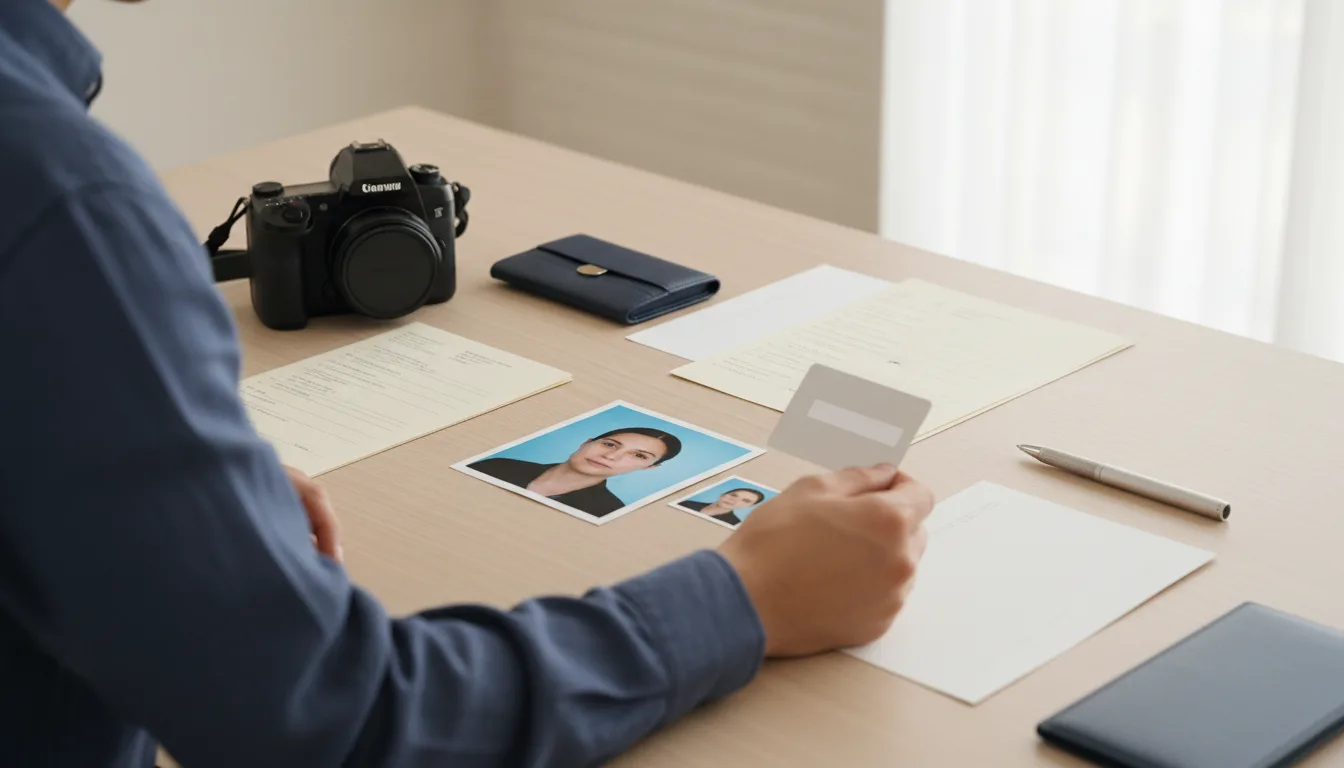
The OCI photo is a square. It is an easy fact to miss, because the Indian passport photo many families already have is a 4.5 x 3.5 cm rectangle, and the OCI portal will not take a rectangle. On top of the photo you need a separate signature image in a long 1:3 strip, and in the United States you also paste a printed copy of the same photo onto the paper form.
The awkward part is that the official sources don't all agree on the limits. This guide gives you each figure with the page it came from, and a way to prepare one file that satisfies all of them.
We read every figure on the Ministry of Home Affairs OCI portal FAQ, the Ministry's OCI photo specification PDF and VFS Global's OCI services page for the USA on September 16, 2026. VFS Global is the outsourcing provider the Embassy of India in Washington directs US applicants to. We re-opened the Ministry's photo specification PDF and the Ottawa PDF on September 19, 2026 and confirmed the head-size figures below; the Ministry's FAQ page did not load that day, so its figures are as we read them on September 16.
- Shape
- Square: height equals width
- Printed size
- Not less than 51 x 51 mm (2 x 2 in)
- Pixels (MHA FAQ)
- 200 x 200 min, 900 x 900 max
- Pixels (VFS USA)
- 200 x 200 min, 1500 x 1500 max
- File (MHA FAQ)
- JPEG/JPG, max 200 KB
- File (VFS USA)
- Max 500 KB
- Background
- Plain light colour, not white; no border
- Framing
- Head and shoulders, full face centred
- Signature ratio (VFS USA)
- 1:3, 200 x 67 to 1500 x 500 px
- Retouching
- Not allowed
Square OCI photo vs rectangular Indian passport photo
If you are a former Indian citizen, or a parent who has done an Indian passport for a child, you have probably handled Passport Seva's photo. Our India passport photo requirements guide covers it: the instruction booklet describes a 4.5 cm x 3.5 cm print pasted onto a printed form.
The OCI portal is a different system run by the Ministry of Home Affairs, and its FAQ is explicit: "The height and width of the applicant photo must be equal." So:
| Indian passport (Passport Seva booklet) | OCI card (MHA OCI portal) | |
|---|---|---|
| Shape | Rectangle, 4.5 x 3.5 cm | Square, not less than 51 x 51 mm |
| Digital upload | No upload in the booklet's flow | Photo and signature uploaded as JPEG |
| Pixel limits | None published | 200 x 200 to 900 x 900 |
| Background | White (booklet) | Plain light colour, "not white" |
Two consequences. You cannot upload the passport-format file, because a rectangle fails the equal-sides rule. And cropping a 35 mm wide print into a square leaves you a square 35 mm across, which then has to be scaled up to reach 51 mm, with a face that was framed for a different shape. Start from a new photo taken for the square. The dimensions of the square format itself are explained in 2x2 photo size in inches, mm and pixels.
The file limits, and the conflict between sources
The Ministry's OCI FAQ, question 9, gives the portal's rule:
- square shape, not less than 51 x 51 mm, with 80% coverage of face
- minimum 200 x 200 pixels, maximum 900 x 900 pixels
- "The images of the photograph and signature must be in JPEG/ JPG format with max size 200 KB"
- photographs that do not conform "will be rejected and may cause delay in processing the applications"
VFS Global's US page lists different prerequisites for every OCI service: applicant image and signature image "Max size 500kb", photo minimum 200 x 200 and maximum 1500 x 1500 pixels.
We can't tell you which one the portal enforces on the day you upload, and neither page says. But the two ranges overlap, and the overlap is easy to hit:
The 600-pixel floor in that tip is our suggestion for sharpness, not an official minimum: the official minimum is 200 x 200, which is too small to print at 51 mm without visible pixels.
Background: light, plain, and (per the FAQ) not white
This is the rule most likely to catch someone who has just done a US passport or visa photo on a white wall.
| Source | Background wording |
|---|---|
| MHA OCI FAQ (question 9) | "plain light color background (not white) without the border" |
| MHA OCI photo specification PDF | "a plain light colored background" |
| High Commission of India, Ottawa, photo specification PDF | "plain white or off-white" |
The Ottawa document is a general passport photo guideline published by one mission, which is also how our India guide describes it, so the two Ministry documents carry more weight for OCI. An off-white or other light, even background fits all three wordings. A bright pure-white wall is the one choice the OCI FAQ rules out.
Two related rules from the Ottawa document's scanning advisories are worth borrowing: the foreground and background should be easily told apart, and a white shirt against a white background is given as an example of what is not acceptable. Our upcoming guide to passport photo background colors compares white, grey and off-white across documents.
How big the face should be
Here the sources genuinely diverge, and it is better to see all three than to pick one silently.
| Source | Face or head size rule |
|---|---|
| MHA OCI FAQ | Square photo "with 80% coverage of face" |
| MHA OCI photo specification PDF | Head, top of hair to bottom of chin, 1 inch to 1-3/8 inches (25 to 35 mm) on a 2 x 2 inch photo |
| HCI Ottawa photo specification PDF | Head 1.4 to 1.6 inches (35 to 40 mm); elsewhere, face from forehead edge to chin 70 to 80% of the photo |
As arithmetic: 25 to 35 mm on a 51 mm photo is roughly 49% to 69% of the height, the same band as a US passport photo. 35 to 40 mm is roughly 69% to 78%. The FAQ's "80% coverage" is not defined further. Which one applies? The Ministry's PDF is titled "Requirement of photograph for OCI Registration", so its 25 to 35 mm is the OCI document and the figure to follow. The Ottawa file is titled as photo guidelines for passports and comes from one High Commission; it reuses the same 2 x 2 inch layout as the Ministry's PDF but prints 1.4 to 1.6 inches (35 to 40 mm) for the head, which conflicts with the Ministry's 1 to 1 3/8 inches on the identical photo size. Neither the FAQ nor VFS says which number the upload check enforces. As arithmetic, the two ranges touch only at 35 mm, about 69% of the height, which is the one value both allow and leaves no margin for measuring error. Keep the top of the hair and the chin inside the frame, and if your consulate or VFS centre publishes its own number, follow that.
What the photo must show
The Ministry's photo specification PDF lists the appearance rules. Most are standard; a few are specific:
- Full face, front view, head centred, not tilted or turned
- Eyes open, level and clearly visible, not covered by hair or frames
- Even, balanced light with no shadows on the face or background
- Natural skin tones, no washed-out or yellow colour cast
- Head and shoulders visible, with no border around the image
- Tinted or dark glasses, or flash glare on clear lenses
- Head covering, unless for religious reasons with the whole face shown
- Retouched, enhanced or softened photos
- Blurred, pixelated, ink-marked or creased images
- A pure white background, per the OCI FAQ
Glasses are not banned outright. The PDF asks that glare "be avoided with a slight upward or downward tilt of the head" and rules out tinted or dark glasses. The Ottawa advisories add that prescription glasses, if worn, should be clear and thin-framed. If you can take them off, that removes the glare problem entirely.
Head coverings are not permitted except for religious reasons, and then the features from the bottom of the chin to the top of the forehead, and both edges of the face, must be clearly shown.
Photos of children and babies
The Ministry's PDF relaxes some rules for children:
- Babies under one do not have to have their eyes open.
- Children under ten: requirements "can be somewhat relaxed" for face height and eye position; for babies and infants, also for the position of the face, expression, eyes and line of sight.
- A frontal, clear photo is still required, showing the child alone: no chair backs, toys or other people visible, looking at the camera with a neutral expression and the mouth closed.
VFS's US checklist lists a Part B for a minor child not signed by either parent among the common mistakes that get applications rejected, so settle who signs before you make the signature image.
The signature image
The signature is uploaded as a picture, alongside the photo. VFS Global's US page states the geometry:
- aspect ratio 1:3, height to width
- minimum 200 x 67 pixels, maximum 1500 x 500 pixels
- applicant image and signature image max 500 KB (VFS); the Ministry's FAQ caps both at 200 KB
VFS's document checklist adds that the digital signature must be in blue or black ink and must match the signature on the physical application form and on your passport. Poor quality of the uploaded photo or signature is the first item on VFS's list of common mistakes that lead to rejection.
- 1
Sign on plain white paper
Use the blue or black pen you'll use on the form, and sign the way you sign your passport. Leave space around the signature.
- 2
Photograph or scan it flat, in good light
No shadows from your hand or phone across the paper, and the page flat so the strokes don't distort.
- 3
Crop to a 1:3 strip
For example 900 x 300 or 600 x 200 pixels. Keep a little white margin so no stroke touches the edge.
- 4
Save as JPEG under 200 KB
A signature on white compresses to a very small file. Open it at full size and check the strokes are sharp, not blocky.
Printed photo on the form (USA via VFS)
The online upload is not the end of it in the United States. VFS Global's checklist for a new OCI registration says: "The physical photo must be affixed on the physical application form and the digital photo must be uploaded on the OCI form online. Physical and uploaded photograph must be identical."
So print the exact file you uploaded, at 2 x 2 inches, rather than having a separate print made at a pharmacy that shoots a new picture. The Ministry's PDF asks for a print on thin photo paper with continuous-tone quality and no visible pixels or dot patterns; the Ottawa advisories add that photos from ordinary printers are not suitable. A photo lab print of your own file meets both.
Where our tool fits, honestly
Our OCI photo tool now does the photo part: it crops a phone photo to the square, sizes the head against the Ministry's 1 to 1-3/8 inch figure, checks tilt, background evenness, sharpness and exposure, and exports a JPEG within the portal's 200 x 200 to 900 x 900 pixel and 200 KB limits — inside both the Ministry's and VFS's ranges. We don't make signature images, and we don't retouch faces or replace backgrounds, which the Ministry's "do not retouch" rule would not allow anyway.
One thing to do yourself. Our background check confirms the background is light and even, and a pure white wall passes it — but the OCI FAQ rules out pure white, so choose an off-white or light-coloured wall. The dedicated page is OCI photo.
We're an independent service. The Indian mission or VFS centre handling your application decides whether a photo is accepted.
Renewals, new passports and fixing a rejected photo
New passport, same OCI card. The Ministry's miscellaneous services FAQ says cardholders upload a copy of the new passport and a latest photo each time a new passport is issued up to 20 years of age, and once after completing 50, within three months of receiving the passport, free of charge. The card itself is re-issued once, when a new passport is issued after completing 20; that costs US$25. A foreign spouse of an Indian citizen or OCI cardholder uploads a new passport copy and photo every time.
Deficient photo. The OCI FAQ says that if there is any deficiency in the application, documents or photograph, the Indian Mission, Post or FRRO will inform you by email. VFS's checklist adds that a photo or signature that did not upload properly can be re-uploaded on the website using the file reference number printed on the first page of the application form. The specific upload errors, and how to read them, are covered in OCI photo rejected.
Indian citizens renewing a passport in the USA follow a different photo rule altogether: see Indian passport renewal in the USA.
For the application itself, the OCI FAQ lists the registration fee as US$275 per applicant.
Frequently asked questions
What size photo do I need for an OCI application?
A square photo. The Ministry of Home Affairs OCI FAQ asks for a square image of at least 51 x 51 mm, at least 200 x 200 pixels and at most 900 x 900 pixels, as a JPEG no larger than 200 KB. VFS Global's US pages allow up to 1500 x 1500 pixels and 500 KB.
Can I use my Indian passport photo for OCI?
Usually not as it is. The Passport Seva booklet describes a 4.5 x 3.5 cm rectangular print, while the OCI portal wants a square image with equal height and width. A rectangular file will not fit the OCI upload, and cropping a small print square tends to leave the face too small.
What background color is required for an OCI photo?
A plain, light-colored background. The OCI portal's FAQ adds the words not white, while the Ministry's photo specification PDF simply says plain light colored. An off-white or other light, even background with no pattern or shadow fits both wordings. Your shirt must also contrast clearly with it.
What are the OCI signature image requirements?
VFS Global's US pages ask for a signature image with a 1:3 height-to-width ratio, at least 200 x 67 pixels and at most 1500 x 500 pixels. The Ministry's FAQ says the signature, like the photo, must be a JPEG no larger than 200 KB. VFS's checklist asks for blue or black ink.
Does the printed OCI photo have to match the uploaded one?
Yes, for applications through VFS Global in the USA. Its document checklist says the physical photo must be affixed to the physical application form, the digital photo must be uploaded online, and the two must be identical. Print the same file you upload rather than having a second photo taken.
Do I need a new OCI photo when I get a new passport?
Sometimes. The Ministry's OCI miscellaneous services FAQ says cardholders upload a copy of the new passport and a latest photo each time a new passport is issued up to age 20, and once after completing 50. A foreign spouse of an Indian citizen or OCI cardholder uploads one with every new passport.
Sources
- Ministry of Home Affairs - Online OCI Services FAQ (question 9: photograph specifications)
- Ministry of Home Affairs - Requirement of photograph for OCI registration (PDF)
- Ministry of Home Affairs - OCI Miscellaneous Services FAQ
- VFS Global - OCI services in the USA (photo and signature prerequisites)
- VFS Global - OCI document checklist, foreign national by birth (adult)
- High Commission of India, Ottawa - Photo specification (PDF)
- Embassy of India, Washington DC - OCI card reissue guidelines
Keep reading
 Requirements
India Passport Photo Size and Rules for 2026
India passport photo requirements from Passport Seva's own instruction booklet: 4.5 x 3.5 cm, plain white background, and when you need no photo at all.
Read the guide Requirements
Turkey e-Visa Photo: JPG or PNG, 200x200 px Minimum
Turkey's e-Visa portal now requires a biometric profile photo: JPG, JPEG or PNG up to 4 MB, at least 200 x 200 px, and the ICAO rules it links.
Read the guide Requirements
Saudi eVisa Photo: 200x200 px, 5-100 KB, White
The official Saudi eVisa photo spec: 200 x 200 px, 5 to 100 KB, white background, face 70-80%, under six months old, and how we verified it.
Read the guide Requirements
Kenya eTA Photo: A Selfie or Passport-Type Photo
Kenya's official eTA site asks for a 'selfie or passport-type photo' and publishes no size, format or background rule. What the portal does require.
Read the guide Requirements
Indonesia e-Visa Photo: Passport-Size, Under 200 KB
Indonesia's immigration FAQ requires a 'foto ukuran paspor' as JPG/JPEG/PNG up to 200 KB for the online visa — and lists no photo at all for the e-VOA.
Read the guide Requirements
Egypt e-Visa Photo: The Portal Lists No Photo Spec
Egypt's official e-Visa portal publishes no photo requirement at all. What the pages do require, and the 2x2 in photo consulates ask for instead.
Read the guide