Requirements
Canada Passport Photo: 50x70mm and the Stamp
Canada passport photo rules: 50 x 70 mm, face 31-36 mm, two prints, and the studio stamp on the back that no app can replace. Verified on canada.ca.
Making the photo now? Canada passport photo: spec and free check

By Antoine Duno
Published 12 min read
Specs verified on September 16, 2026 against the issuing authority
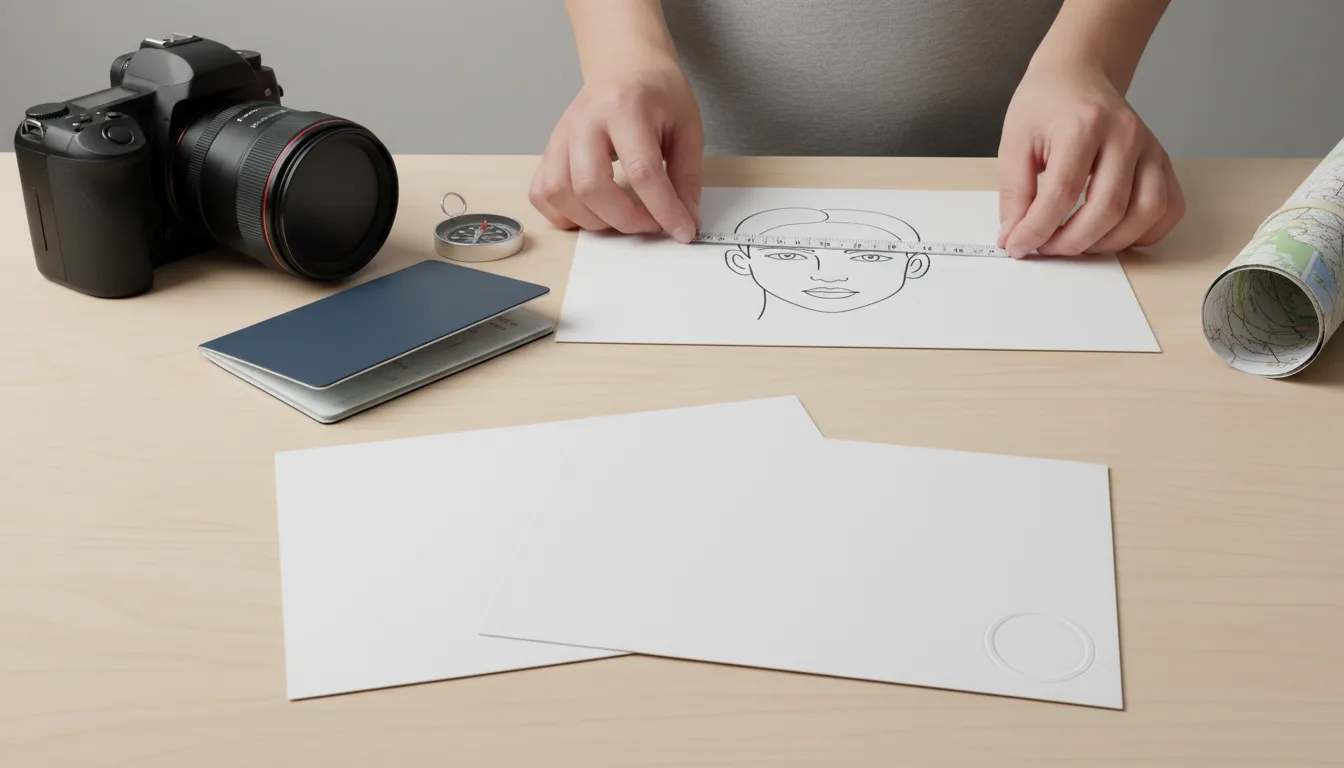
Canada's passport photo rules contain one requirement that no photo app on earth can satisfy for you: the back of the print has to carry the photo studio's name, complete address and the date the picture was taken. That is not a formatting rule. It is a chain-of-custody rule, and it means a Canadian passport photo has to come from a commercial photographer.
Everything else is measurable, and worth knowing before you walk into a studio, because a photo that is the wrong size is the wrong size whoever took it.
Every figure below comes from Immigration, Refugees and Citizenship Canada's own page, Photos for Canadian passports, checked on the date shown in the table. IRCC decides whether a photo is acceptable, not us and not your photographer.
- Printed size
- 50 mm wide x 70 mm high (2 x 2 3/4 in)
- Face height (chin to crown)
- 31 mm to 36 mm
- Number of prints
- 2 identical, unaltered
- Maximum age
- 6 months before you apply
- Background
- Plain white or light-coloured
- Colour
- Colour or black and white
- Who takes it
- Commercial photographer or photo studio, in person
- Printing
- Professionally printed on plain, high-quality photographic paper
- On the back
- Studio name, complete address, date taken
- Digital (online renewal)
- JPEG, 1200 x 1800 px min, 3000 x 4500 px max, 200 KB to 5 MB
Why 50 x 70 mm is nobody else's size
Canada uses a photo that is taller and wider than almost every other country's. The US uses a 51 x 51 mm square. The UK, Australia, India and every Schengen consulate use something in the 35 x 45 mm family. Canada sits on its own at 50 x 70 mm.
The practical consequence: a photo booth outside Canada will very likely not produce a Canadian-format print, and a strip of photos you had taken for a British or Australian passport cannot be trimmed down to fit. Trimming a larger print is also a problem in itself, because the face height has to land inside the 31-36 mm window measured against the 70 mm height.
If you are comparing formats across several applications, our passport photo sizes by country table lays them out side by side.
The two measurements that get checked first
Overall print: 50 mm wide by 70 mm high. Canada.ca gives the imperial equivalent as 2 inches by 2 3/4 inches.
Face: between 31 mm and 36 mm from chin to crown. In imperial, IRCC writes this as 1 1/4 inches to 1 7/16 inches. Crown means the top of the head, not the top of a hairstyle.
That is a 5 mm window inside a 70 mm frame, so your face occupies somewhere between 44% and 51% of the print's height. Studios that do passport work regularly have a template for this. Studios that mostly shoot weddings sometimes do not, which is why measuring the print before you leave the counter is worth the thirty seconds.
What must be on the back of the prints
This is the requirement that separates a Canadian passport photo from a photo that merely looks like one.
The photographer or studio must write or stamp, on the back:
- The date the photo was taken
- The name and complete address of the photo studio
Separately, if your application requires a guarantor, that person writes "I certify this to be a true likeness of" followed by your name, and signs, on the back of one of the two photos. The guarantor requirement depends on which application you are filing; the application guide for your form tells you whether you need one.
Who is allowed to take the photo
IRCC is explicit: photos must be taken in person by a commercial photographer or photo studio. It also says it does not accept photos printed at home.
For the digital photo used in online renewal, the rule is the same in a different wrapper: the photo must be taken in person by a commercial photographer, and the file must be saved directly from the original file captured by the camera. Scanned copies are rejected. So a phone photo, however good, is out for both routes.
This is stricter than the UK, where GOV.UK lets you take the photo on your own device during an online application, and stricter than the US, where the State Department lists a friend or family member as an acceptable photographer. If you have applied for one of those recently, do not assume the same approach works here. Our UK passport photo requirements and US passport photo requirements guides cover those rules in full.
Print quality and paper
Your prints must be:
- Professionally printed on plain, high-quality photographic paper
- Clear, sharp and in focus
- Free of shadows, glare and flash reflections, with uniform lighting
- Showing your natural skin tone accurately
Canada.ca does not specify a paper finish, a weight in gsm or a printing technology on this page, so we are not going to invent one. What it does rule out is the home printer.
Pose, expression and face
Canada's pose rules are short and unusually specific about the shoulders:
- Face and shoulders centred and squared to the camera, not tilted
- Eyes open and clearly visible, looking straight at the camera
- Mouth closed, not smiling and not frowning
- Skin tone reproduced naturally in the print
- Uniform lighting with no shadows, glare or flash reflections
- Head tilted or shoulders turned away from the camera
- A smile, a frown or any other expression
- Shadows on the face or falling on the background behind you
- Photos altered with editing software, filters or AI tools
Note the expression rule. Canada does not allow the closed-mouth smile that the US permits. If you hold both passports, do not reuse one photo for the other application. Our guide on whether you can smile in a passport photo goes country by country.
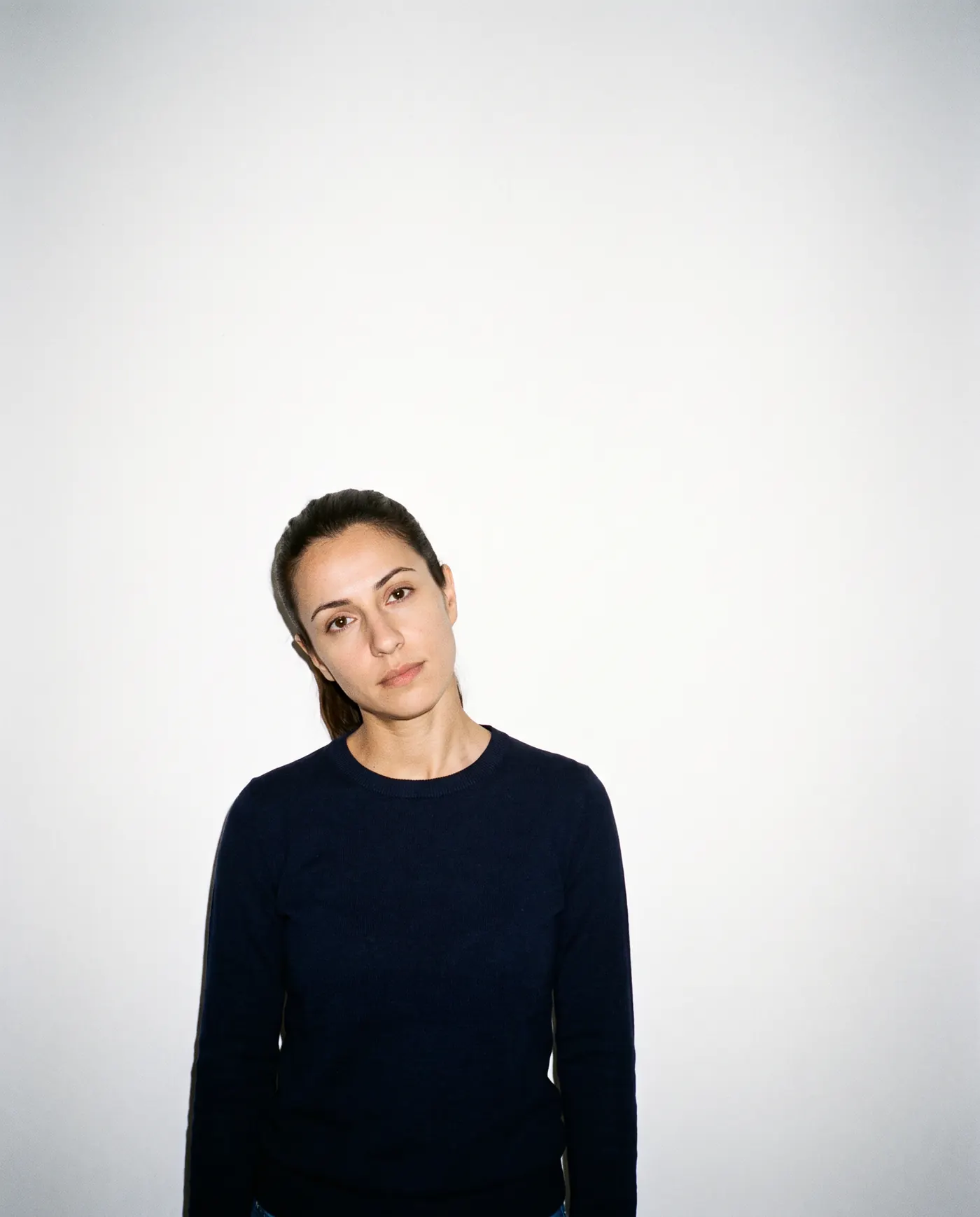 Rejected
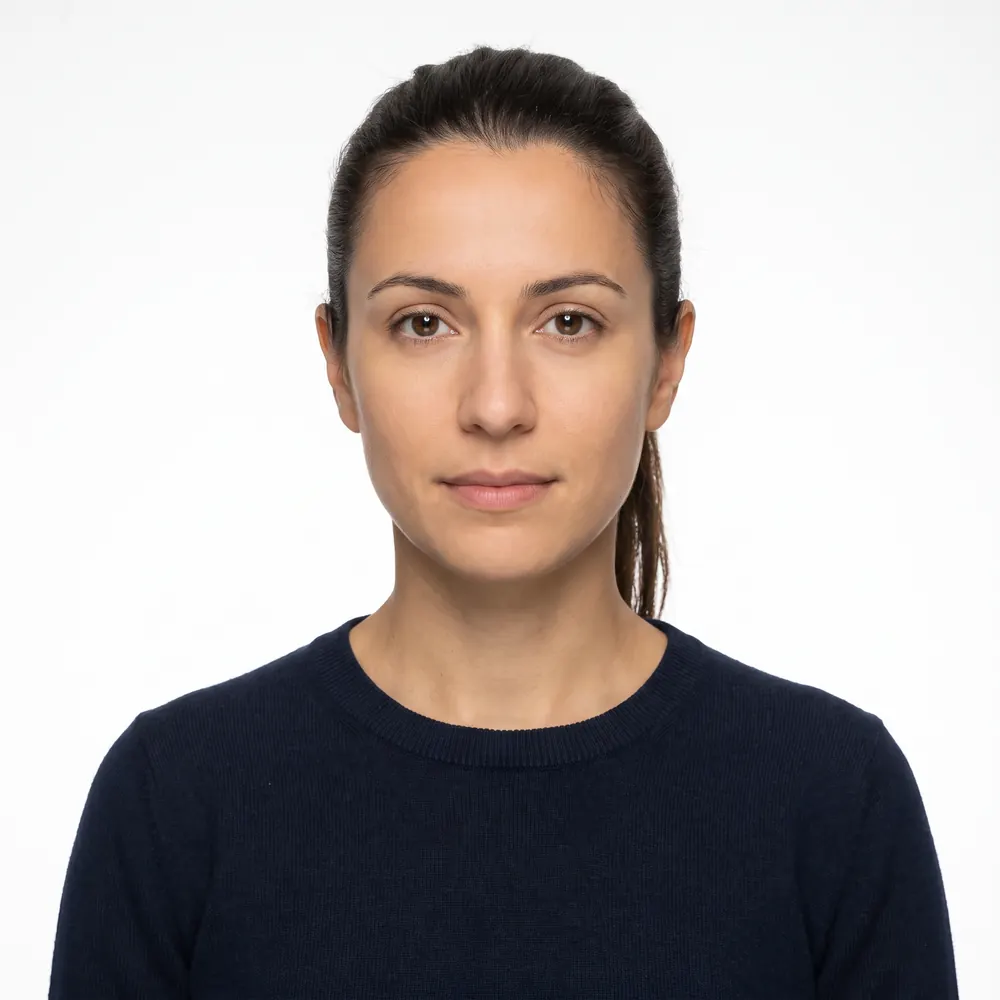 Accepted
Glasses, head coverings and accessories
Glasses are allowed, which surprises people who have just done a US application. The conditions are that your eyes stay clearly visible and there is no glare on the lenses. Sunglasses and tinted eyeglasses are not acceptable.
Head coverings are permitted for religious beliefs or medical reasons. Your full face must be clearly visible and the covering must not create shadows.
Photos of babies and children
Children need photos to the same 50 x 70 mm size, with the same face measurement. IRCC relaxes only what it has to:
- Newborns may have a range of facial expressions. The neutral-expression rule is not applied to them.
- No hands may be visible in the photo, yours or the child's.
- A baby may be photographed sitting in a car seat, as long as a white blanket is placed over the seat behind the child's head.
The car seat allowance is the most useful line on the page for new parents, and the one most often missing from third-party guides.
Digital photos for online renewal
Canada now accepts some passport renewals online, and those use a digital photo instead of prints. The file specification is precise:
| Requirement | Rule |
|---|---|
| Format | .jpeg or .jpg |
| Minimum dimensions | 1,800 pixels high by 1,200 pixels wide |
| Maximum dimensions | 4,500 pixels high by 3,000 pixels wide |
| File size | 200 KB to 5 MB |
| Aspect ratio | 3:2, camera in portrait orientation |
| Face height | 45% to 50% of the photo's height, chin to crown |
| Who takes it | A commercial photographer, in person |
| Source file | Saved directly from the original camera file; no scans |
Two things stand out. First, the 3:2 aspect ratio is not the same shape as the 50 x 70 mm print, which is 5:7 — so the digital photo is not simply a scan of the print, and IRCC says scans are not accepted anyway. Second, the face-height rule switches from millimetres to a percentage, which is how most digital systems express it.
If you are wrestling with pixel dimensions across several applications, our passport photo size in pixels guide converts the common formats.
The alteration rule is absolute
IRCC states that it will reject your application if the photos have been altered in any way, and names photo editing software, filters and AI tools explicitly.
Read that broadly, because IRCC does. Smoothing skin is an alteration. Brightening a face is an alteration. Replacing a beige wall with a clean white background is an alteration, even though the finished image looks exactly like a compliant photo. The test is not whether the result looks right; it is whether the image still represents the original capture.
This is worth understanding before you use any tool, ours included. Our guide to AI-edited passport photos covers what different authorities say about the line between cropping and editing.
How to actually get this right
- 1
Find a studio that does passport work
Ask specifically whether they produce the 50 x 70 mm Canadian format and whether they stamp the back with the studio name, full address and date. Not every photographer does both.
- 2
Bring the numbers with you
50 mm x 70 mm, face 31-36 mm chin to crown, plain white or light-coloured background, two identical prints. A studio that hears the measurements usually gets them right.
- 3
Check the prints at the counter
Measure the print and the face height with a ruler before you leave. Turn one over and confirm the stamp is legible and carries the date and the full address.
- 4
Get the guarantor signature if your form needs one
The guarantor writes 'I certify this to be a true likeness of' plus your name on the back of one photo and signs it. Check your application guide for whether this applies to you.
- 5
For online renewal, ask for the original file
The photographer must send the file as it came off the camera, in JPEG, within the pixel and file-size limits above. A photo of the print, or a scan, will not pass.
Where our tool fits, honestly
It does not replace the studio. For a Canadian passport application you need a commercial photographer, and you need their stamp on the back of the print. We cannot provide either, and we are not going to pretend otherwise.
What we can do is narrower and still useful. Upload the photo your studio gave you and we will crop it to the Canadian 50 x 70 mm proportions, measure your face height against the 31-36 mm window and flag the things that get photos sent back: a tilted head, a shadow behind you, glare on your lenses, an expression that is not neutral. The check costs nothing. You only pay if you choose to download a file, and only $4.99 for the digital file or $6.99 with a print sheet, with no subscription.
That is genuinely worth doing before you post an application, and worth doing at the counter if the studio will wait. But the photo itself has to be theirs.
If you are applying for a US, UK, Irish or Schengen document instead, those authorities allow photos taken outside a studio, and our tool does the whole job. Start at the home page or read the guide for your country first.
Canadian passport photo checklist
- 50 mm wide x 70 mm high
- Face 31-36 mm from chin to crown
- Two identical prints
- Taken within the last 6 months
- Taken in person by a commercial photographer or studio
- Professionally printed on high-quality photographic paper, not at home
- Plain white or light-coloured background, no shadows
- Face and shoulders squared to the camera, not tilted
- Eyes open and visible, mouth closed, no smile
- No glare on glasses; no sunglasses or tinted lenses
- Back of the prints stamped with studio name, full address and date
- Guarantor statement and signature on the back of one photo, if your form requires one
- Nothing retouched, filtered or AI-edited
Sources
Frequently asked questions
What size is a Canadian passport photo?
A Canadian passport photo is 50 mm wide by 70 mm high (2 inches by 2 3/4 inches). Your face must measure between 31 mm and 36 mm from chin to crown. You submit two identical prints with a paper application.
Can I take my own Canadian passport photo at home?
No. IRCC requires photos to be taken in person by a commercial photographer or photo studio, and says it does not accept photos printed at home. This applies to the digital photo used for online renewal as well.
What has to be written on the back of a Canadian passport photo?
The photographer or studio must write or stamp the date the photo was taken and the studio's name and complete address. If your application needs a guarantor, they write "I certify this to be a true likeness of" plus your name on the back of one photo and sign it.
How old can a Canadian passport photo be?
The photo must have been taken no more than six months before the date you submit your application. That is more generous than the UK's one month, but you still need a new photo for each application.
Can I wear glasses in a Canadian passport photo?
Yes, if your eyes stay clearly visible and there is no glare on the lenses. Sunglasses and tinted glasses are not allowed. Canada is more permissive here than the United States, which asks you to remove eyeglasses entirely.
Can a Canadian passport photo be black and white?
Yes. Canada.ca states that photos may be in colour or in black and white. Most studios shoot colour, but a black-and-white print that meets every other rule is acceptable.
Does Canada accept AI-edited or retouched passport photos?
No. IRCC says it will reject your application if the photos have been altered in any way, and names photo editing software, filters and AI tools specifically. Background replacement counts as an alteration.
The Canada passport specification, with the official source of each value: Canada passport photo: spec and free check
Keep reading
 Requirements
 Canada Online Passport Renewal Photo: Studio Still Needed
Renewing a Canadian passport online still needs a commercial photographer's digital file: JPEG, 3:2, 1200x1800 px min, 200 KB-5 MB. Rules from canada.ca.
Read the guide Requirements
 Canada Visa Photo 2026: When IRCC Asks for One
Most Canada visitor visa applicants never send a photo: it's taken at biometrics. Who still needs two 35x45 mm prints, and the exact IRCC specifications.
Read the guide Requirements
 New Zealand Passport Photo: Online Upload Rules
New Zealand passport photo rules from passports.govt.nz: 3:4 JPEG, 250 KB to 5 MB, under 6 months old, no selfies, plus what the site never states.
Read the guide Requirements
 Australia Passport Photo Requirements Explained
Australian passport photo rules: two prints, 35-40 x 45-50 mm, face 32-36 mm, 200 gsm dye-sublimation paper, and why the APO warns off photo apps.
Read the guide Requirements
 N-400 Photo 2026: Do You Still Send Two Photos?
Most N-400 filers send no photos: USCIS takes a new one at biometrics. Who still mails two 2x2 prints, and the photo you need next for a first US passport.
Read the guide Requirements
 DS-260 Photo Requirements 2026: Two Prints, No Upload
DS-260 immigrant visa photos: two identical 2x2 inch color prints at the interview, head 1 to 1 3/8 in, no glasses. How it differs from DS-160 and USCIS.
Read the guide